External Email
Building Your Own Verification ToolkitA guide to the tools and databases librarians use, plus a personal fact-checking workflow you can run in under 60 seconds.
Information has never been easier to access, and never harder to trust. We now live in an environment where authoritative tone, professional formatting, and realistic citations can be generated in seconds, whether or not anything behind them is real. The result is that confidence and accuracy no longer reliably travel together. This guide exists to close that gap. It’s a reference for anyone who reads, writes, researches, teaches, reports, makes decisions, or simply wants to know what’s true. Using these tools means fewer errors, fewer unexamined assumptions, and fewer moments of realizing too late that something believed to be solid was never solid at all. But you don’t need specialized credentials to verify claims. All you need is a small set of reliable tools, a repeatable way of checking sources, and the knowledge of where to turn when something feels off. Everything here is designed to make that process fast, concrete, and available in ordinary daily life. Quick Start: Five Tools to BookmarkWhen something feels questionable, the difference is often knowing which tool to open first. The five below handle most common scenarios, and all are free to use.
The rest of this article explains these tools in depth, and introduces dozens more. But these five will get you started, and the workflow below shows you how to use them.
Photo by Rodrigo Ortiz Sánchez on
Unsplash
Your 60-Second Fact-CheckMost misinformation spreads not because people are gullible, but because checking feels like friction and not checking feels like flow. This fits into the pause before we share, cite, or publish something. It’s designed to be fast enough that we’ll actually use it. If you’re encountering a claim you might rely on, repeat, or share, run through this list first so you can feel confident in what you believe or pass along. The Checklist☐ Search the claim plus “snopes” or “fact check.”
☐ For any citation, paste the exact title into Google Scholar with quotation marks.
☐ For images, right-click and select “Search image with Google” or upload to TinEye.
☐ For quotes, search the exact words in quotation marks.
☐ When in doubt, ask what happens if this turns out to be wrong.
This quick routine catches obvious fabrications and misrepresentations. When something needs deeper investigation, the tools in the following sections will take you further. Free Tools That Require Nothing But a BrowserEverything in this section is free, requires no login, and works in any browser. These are the tools journalists, researchers, and fact-checkers rely on, and they’re available to anyone. For Checking Whether Sources ExistWhen someone cites a study, quotes research, or references an academic paper, these tools help you verify that the source actually exists and says what it’s claimed to say. This matters especially when working with AI-generated content, which frequently fabricates plausible-sounding citations complete with author names, journal titles, and page numbers. Google Scholar searches academic literature specifically: journal articles, theses, books, conference papers, and preprints. To use, copy the exact title of a cited study and paste it into Google Scholar with quotation marks around it. If the study exists, you’ll see it listed with its citation count, publication venue, and often a link to the PDF. If you get zero results for an exact title match, the study was almost certainly fabricated. Google Scholar also shows you how many times a paper has been cited, which tells you something about its influence. A study with 3 citations is less established than one with 300. You can click “Cited by” to see who’s building on that research and whether the conclusions have been challenged. Semantic Scholar maps citation relationships between papers. The “Highly Influential Citations” feature shows you which papers have substantially shaped subsequent research, helping you distinguish well-regarded studies from outliers that other researchers have ignored or criticized. PubMed is the National Library of Medicine’s database of biomedical literature. For any health or medical claim, PubMed is a fantastic authoritative source. Many articles include free full-text access through PubMed Central. For Checking Viral ClaimsWhen a claim is spreading widely online, the fastest path to verification is often checking whether professional fact-checkers have already investigated it. These organizations do the legwork of tracing claims to their sources and documenting what’s true, false, or misleading. Snopes has been fact-checking internet rumors since 1994. Their archive covers urban legends, political claims, and viral misinformation. If a claim has spread widely enough to reach you, Snopes has probably already investigated it. PolitiFact focuses specifically on political claims, rating statements on a scale from “True” to “Pants on Fire.” Their methodology is transparent: each fact-check shows the sources consulted and the reasoning behind the rating. FactCheck.org is a project of the Annenberg Public Policy Center at the University of Pennsylvania. They focus on US political claims with particular attention to campaign advertisements and public statements by elected officials. AFP Fact Check, Reuters Fact Check, and AP Fact Check extend this coverage internationally. These wire services have reporters around the world who can verify claims on the ground. For Checking What Websites Used to SayWebsites change constantly: press releases disappear, terms of service get updated, statements get edited. When you need to verify what a website said in the past, or recover content that’s been removed, these archiving tools preserve what organizations might prefer you forget. The Wayback Machine captures historical snapshots of websites. The Internet Archive has been crawling and saving web pages since 1996. To use, enter any URL and you’ll see a calendar showing every date the Wayback Machine captured that page. Click any date to see exactly what the page looked like at that moment. This is essential when someone claims a company “always said” something or a policy “never existed.” It’s also useful when a source you need has gone offline entirely, as you can often retrieve the archived version. Archive.today is a similar service that lets you create new snapshots on demand. If you find a page you want preserved before it changes or disappears, you can submit it for archiving. This is useful for documenting something you might need to reference later. For Verifying ImagesImages are easy to take out of context. For example, a photo from one event gets attached to a different story; an old image resurfaces as if it’s breaking news; a doctored photo spreads as if it’s real. These tools help you trace where an image actually came from and whether it’s been manipulated. TinEye maintains an index of billions of images. Upload any image or paste its URL, and TinEye will show you everywhere that image appears online. To use, “Sort by” dropdown is the key feature. Select “Oldest” to find the earliest appearance of an image in TinEye’s index. If a photo claims to show an event from last week but TinEye finds the same image published three years ago, you’ve identified a misattribution. Important caveat: TinEye’s “oldest” sort shows when their crawlers first found the image, which is close to but not identical to when it was first published online. Treat the dates as approximate. Google Reverse Image Search (when at the site, click the camera icon) works similarly but draws from Google’s larger index. It’s better at finding visually similar images even when the exact image doesn’t match. Yandex Images is a Russian search engine with particularly strong reverse image search for faces and Eastern European content. Journalists and open-source investigators often use Yandex when Google and TinEye come up empty. FotoForensics analyzes image metadata and compression patterns. Upload an image and it will show you the EXIF data (camera model, date taken, GPS coordinates if present) and run Error Level Analysis (ELA), which can reveal areas of an image that were edited differently than the rest. The site explicitly states it’s like a microscope: it shows you data but doesn’t draw conclusions. ELA results require careful interpretation, as normal image processing (resizing, compression) can create patterns that look like manipulation. The tool flags inconsistencies; you decide what they mean. For Verifying People and OrganizationsWhen someone claims credentials, affiliations, or authority, these tools help you check whether those claims hold up. They’re useful for evaluating experts, checking whether organizations are legitimate, and verifying professional backgrounds. ORCID is the researcher ID system used by academics worldwide. Many journals now require ORCID identifiers for manuscript submission. How to use it: Search for a researcher’s name to see if they have a registered ORCID profile. If they do, you can see their affiliated institution, publications, and other professional information. This helps verify whether someone claiming academic credentials actually has them. Caveat: ORCID profiles are self-reported. A missing profile doesn’t prove someone isn’t a real researcher (many legitimate academics haven’t registered), and a profile doesn’t guarantee everything on it is accurate. Use it as one data point, not definitive proof. OpenCorporates is a large open database of company information from jurisdictions around the world. You can verify whether a company exists, when it was incorporated, and its registered address. Useful when evaluating business claims or checking whether an organization is legitimate. WHOIS lookup tools show you who registered a website domain. If a site claims to be an “established” news organization but was registered last month, that’s relevant context. For Tracking Retracted ResearchAcademic papers sometimes get withdrawn after publication due to errors, fraud, or ethical violations. But retracted papers don’t disappear from the internet, and they continue to be cited by researchers who don’t know about the retraction. This tool helps you check whether a study you’re relying on has been discredited. Retraction Watch Database tracks academic papers that have been withdrawn. The database is maintained in partnership with Crossref and is freely searchable. How to use it: Search by author name, paper title, journal, or subject. Each entry explains why the paper was retracted. The database also powers integrations with citation managers like Zotero and EndNote, which can alert you if any paper in your library has been retracted since you saved it. These tools will handle most verification needs you encounter on a daily basis. But sometimes you need to go deeper: accessing the full text of a paywalled study, searching historical newspaper archives, or finding primary source documents that aren’t available on the open web. That’s where your library card becomes essential.
Photo by Leo Okuyama on
Unsplash
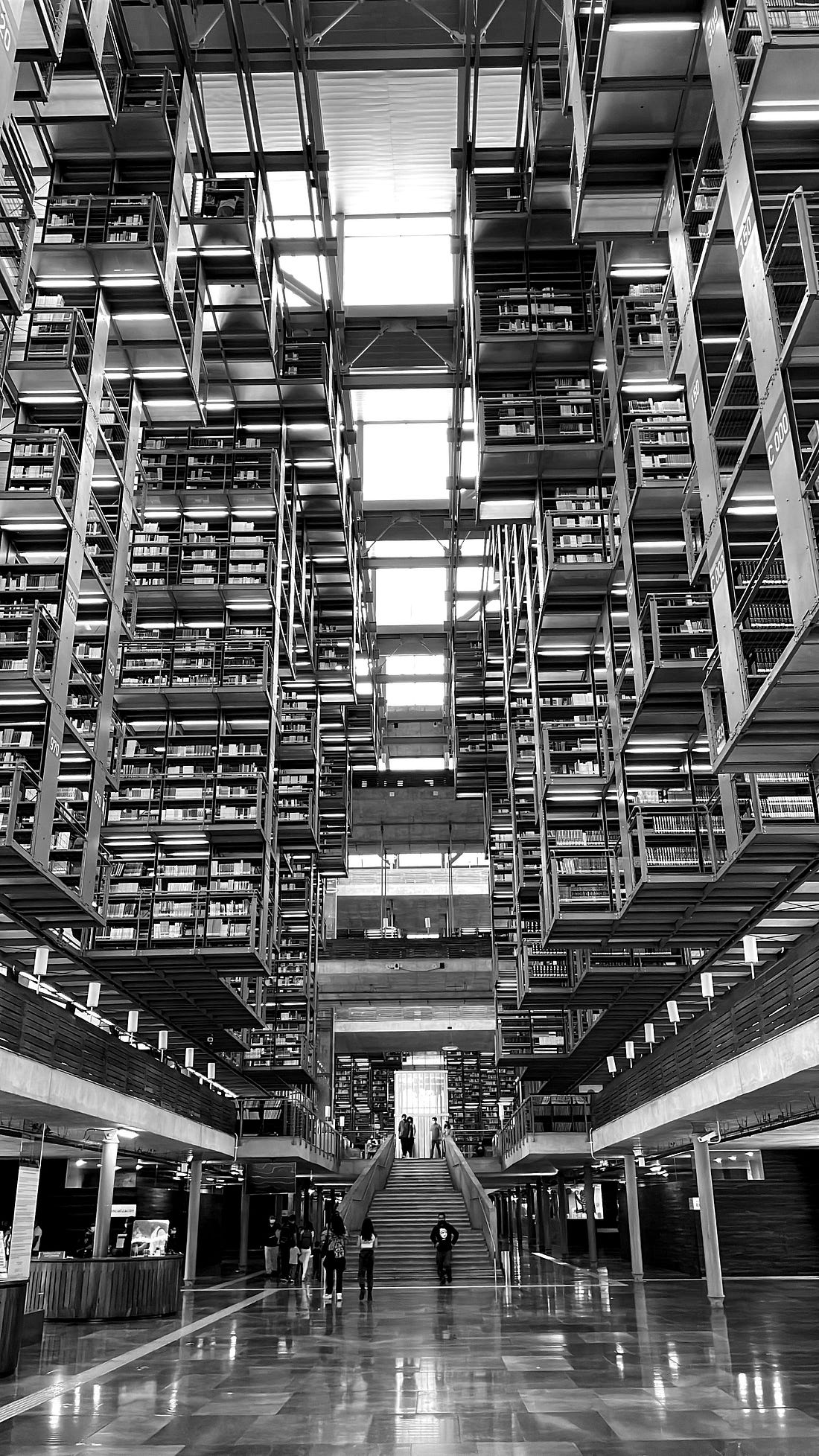
What Libraries ProvideMost people assume Google searches the entire internet, but it actually indexes less than 5% of the total web. The rest lives in what researchers call the “deep web”: specialized databases, institutional archives, and subscription services that sit behind authentication walls. This is where peer-reviewed research lives, where historical newspaper archives are stored, and where legal databases and genealogical records and business filings reside. Libraries pay for access to these resources so you can use them for free. A single library card can unlock collections that would cost hundreds or thousands of dollars to access individually. In an information landscape increasingly shaped by algorithms, paywalls, and platform incentives, the public library remains one of the few institutions whose entire purpose is helping people find accurate information without a profit motive attached. It’s a remarkable resource, and it’s chronically underused. Your public library card unlocks these collections. (!!!) What follows are the major categories of databases your library provides, what they are useful for, and additional open-access tools that complement them. Academic Journals and Full-Text ArchivesUse these when you need to verify a study, read the original research behind a claim, or access scholarly sources that sit behind paywalls. If you’ve ever clicked a promising Google Scholar result only to hit a paywall demanding payment for a single PDF, your library card is the workaround. JSTOR archives complete runs of academic journals, often back to their first issue. This makes it possible to trace how scholarly thinking on a topic evolved over decades; for example, you can read the 1952 article that a 2024 article is responding to. JSTOR also offers free content: articles published more than 95 years ago in the US are freely accessible to anyone, and registered users can read up to 100 articles per month at no cost, even without a library affiliation. ProQuest, EBSCO, and Gale are the workhorses of library research, aggregating thousands of periodicals, peer-reviewed journals, newspapers, and trade publications. These platforms index material that Google doesn’t surface because the content lives behind institutional authentication. The practical difference: when you paste a study title into Google, you might find a landing page demanding payment. Paste that same title into your library’s database portal, and you’re reading the full text immediately. A note on availability: Not every library subscribes to every database. Large metropolitan and university library systems tend to offer the broadest access, while smaller systems may have more limited collections. Check your library’s website for a list of available databases, or ask a librarian what resources they provide for the type of research you’re doing. If your local library lacks a database you need, university libraries often allow community members to use their resources on-site, and interlibrary loan can get you articles from collections your library doesn’t hold. News Archives and Historical RecordsUse these when you need to verify historical claims, find primary source coverage of past events, or check what was actually reported at the time something happened. Contemporary news coverage is the first draft of history, and libraries maintain access to archives stretching back centuries. Newspapers.com (Library Edition) provides searchable, full-image scans of historical newspapers. When someone makes a claim about what “everyone knew” in 1923 or what “really happened” during a historical event, you can read the actual newspaper coverage from that week. ProQuest Historical Newspapers includes complete digital archives of publications like The New York Times, The Washington Post, and The Wall Street Journal, some dating back to the mid-1800s. Each page is scanned and searchable by keyword, date, and section. When you’re verifying a historical claim, this is where you find primary source confirmation or discover that the claim was invented later. NewsBank aggregates current and recent news from thousands of sources, including local and regional papers that national databases often miss. When you need to know what actually happened in a specific city on a specific date, NewsBank often has coverage that Google News surfaces inconsistently or not at all. How to access: Check your library’s database list for historical newspaper collections. Access varies significantly by system. Open-access alternative: The Library of Congress maintains Chronicling America (chroniclingamerica.loc.gov), which provides free access to historical American newspapers from 1770 to 1963. Legal ResearchUse these when you need to verify what a law actually says, find the text of a court ruling, or check whether a legal claim someone is making has any basis. Legal citation formats are opaque to non-lawyers, but the underlying documents are public record. Lexis and Westlaw are the industry-standard legal research platforms. Many county law libraries and state law libraries provide free access on their public computers. These platforms contain case law, statutes, regulations, legal forms, and secondary sources like law review articles. HeinOnline provides full-image, full-text access to legal journals, historical statutes, legislative histories, and government documents. If you need to understand how a law evolved or find the original Congressional testimony behind a regulation, HeinOnline maintains archives that go back to the founding of the Republic. For most people, the primary use case is simpler: checking whether a specific law actually says what someone claims it says. A reference librarian can help you locate the exact statute or case in minutes. How to access: County and state law libraries are open to the public, not just attorneys. Search for your county’s law library to find locations and hours. Many law school libraries also allow public access to their facilities, though policies vary. Open-access alternatives: Google Scholar includes case law search. Cornell’s Legal Information Institute provides free access to the US Code and many court opinions. Congress.gov offers legislative history and the text of federal laws. Genealogy and Family HistoryUse these when you need to verify whether a historical person existed, confirm biographical claims, or check family history assertions. These databases contain primary source records: census forms, birth certificates, immigration manifests, military service records. Ancestry Library Edition is available free at most public libraries, though typically only on library computers or through library wifi, not remotely from home. This is the same core database that powers Ancestry.com, containing census records, birth and death certificates, immigration manifests, military records, and more. HeritageQuest Online complements Ancestry with additional census images and specialized collections like Revolutionary War pension records and Freedman’s Bank records documenting African American families after the Civil War. Unlike Ancestry Library Edition, HeritageQuest is often available for remote access with your library card. For verification purposes, these genealogy databases let you confirm whether a person actually existed, when and where they lived, and what documentation survives about their life. When someone claims a family connection to a historical figure or references an ancestor’s accomplishments, these databases often contain the primary source records. How to access: Check your library’s database list and note which genealogy resources require in-library access versus remote access. Open-access alternatives: FamilySearch.org (run by the Church of Jesus Christ of Latter-day Saints) provides free access to billions of genealogical records. The National Archives offers free access to many federal records including census images through 1950. Consumer and Business InformationUse these when you need to verify claims about products, companies, or business opportunities. Before making a significant purchase or entering a business relationship, you can check independent analysis rather than relying on marketing materials. Consumer Reports is available through many library databases, offering independent, advertising-free testing and analysis. Business databases through ProQuest, EBSCO, and specialized providers like Mergent contain company profiles, financial statements, industry analyses, and market research reports. When an investment opportunity or business partnership comes your way, you can verify the claims against audited data rather than marketing materials. How to access: Check your library’s database list for Consumer Reports and business databases. Open-access alternatives: The SEC’s EDGAR database provides free access to filings from publicly traded companies. Your state’s Secretary of State website typically offers free business entity searches to verify company registrations. The Better Business Bureau provides free access to business profiles and complaint histories. When You Need Expert HelpAsking a librarian for help finding information is one of the most underused public services available today. It’s free, responsive, and staffed by professionals trained in navigating complex information landscapes. This isn’t a nostalgic tradition or a fading service; it’s an active resource offered through chat, email, phone, and in-person support at public library systems. When you hit a wall with the standard tools, a reference librarian can point you toward specialized databases, government repositories, or archival collections you wouldn’t find on your own. They can help you access resources your library doesn’t hold through interlibrary loan. They can especially help you figure out what you’re actually looking for when you’re not sure yourself. Most public library websites include an “Ask a Librarian” link. Many academic libraries extend this service beyond their campuses to the surrounding community. There’s no cost to use it, and the people on the other end have advanced training in finding, verifying, and organizing information.
Photo by Bilal Karim on
Unsplash
Building Your ToolkitThe tools in this article work best when they’re easy to reach. The difference between checking something and letting it slide often comes down to whether verification feels like friction or flow. A bookmark folder puts these resources one click away. Step 1: Set up your folder.Create a browser folder called “Verify” or a name that feels natural to you. Start with the five essentials from the Quick Start section:
Step 2: Customize for what you encounter.Expand the folder based on the kinds of claims you see most often:
Step 3: Learn your library’s resources.Spend some time exploring your library’s database list. Note which databases are available remotely versus in-library only, and identify which ones cover the subjects you research most often. But also have some fun taking a look at the depth and breadth of resources available; there’s always a few hidden gems that might surprise you. The real danger is not that false information exists; the real danger is that false information now arrives dressed in the visual language of credibility. Clean layouts, confident tone, and realistic citations create the feeling of authority without the substance. The only reliable counterweight is a moment of friction, a brief pause in which a claim is traced back to its source rather than accepted at face value. That is what verification actually prevents: the slow accumulation of false confidence in things that aren’t true. Every unchecked claim that gets repeated makes the information environment a little worse. Every claim that gets traced back to its source, confirmed or refuted, makes it a little better. Card Catalog: Your weekly guide to thinking like a librarian. Build essential information literacy skills in the age of AI. Join here 👇 You're currently a free subscriber to Card Catalog. For the full experience, upgrade your subscription.
© 2026 Hana Lee Goldin
|





 Share
Share